Where can I find my invoices and billing history?
1 min read
Your complete billing history and past invoices for your Hyperfy subscription are stored and accessible through the secure Stripe billing portal.
To access your invoices and history:
1. Access the Billing Portal:
- Log in to your Hyperfy account.
- Navigate to "Settings" in the left-hand menu.
- Click on the "Subscription" subsection.
- Click the "Manage Subscription" button. This opens your Stripe billing portal.
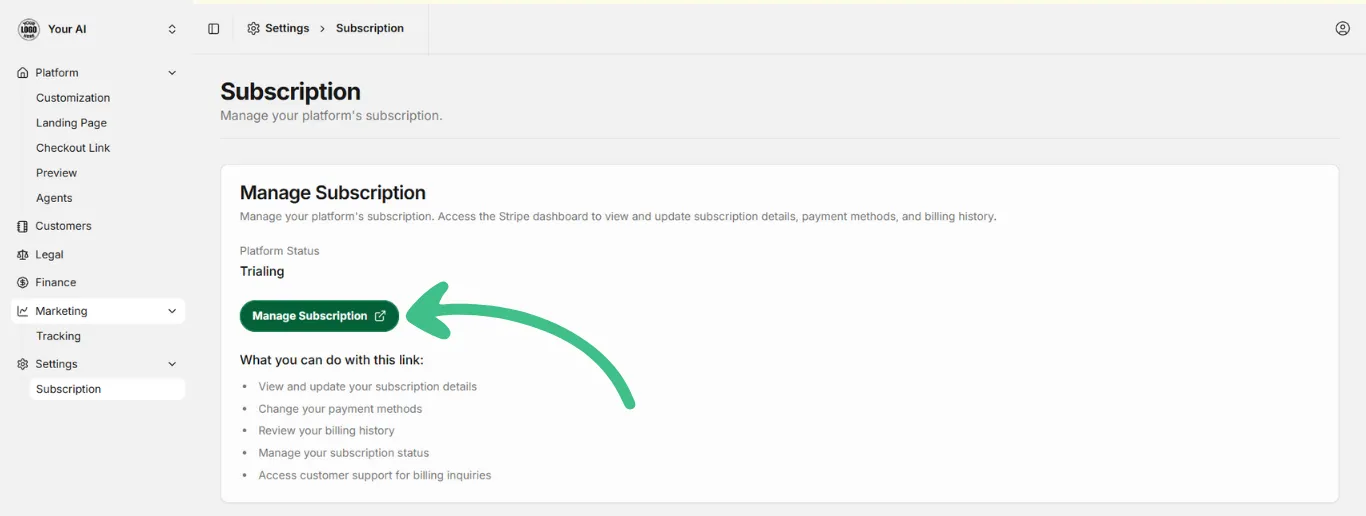
2. Locate Invoice History:
- Within the Stripe portal, scroll down or look for the section labeled "Invoice History".
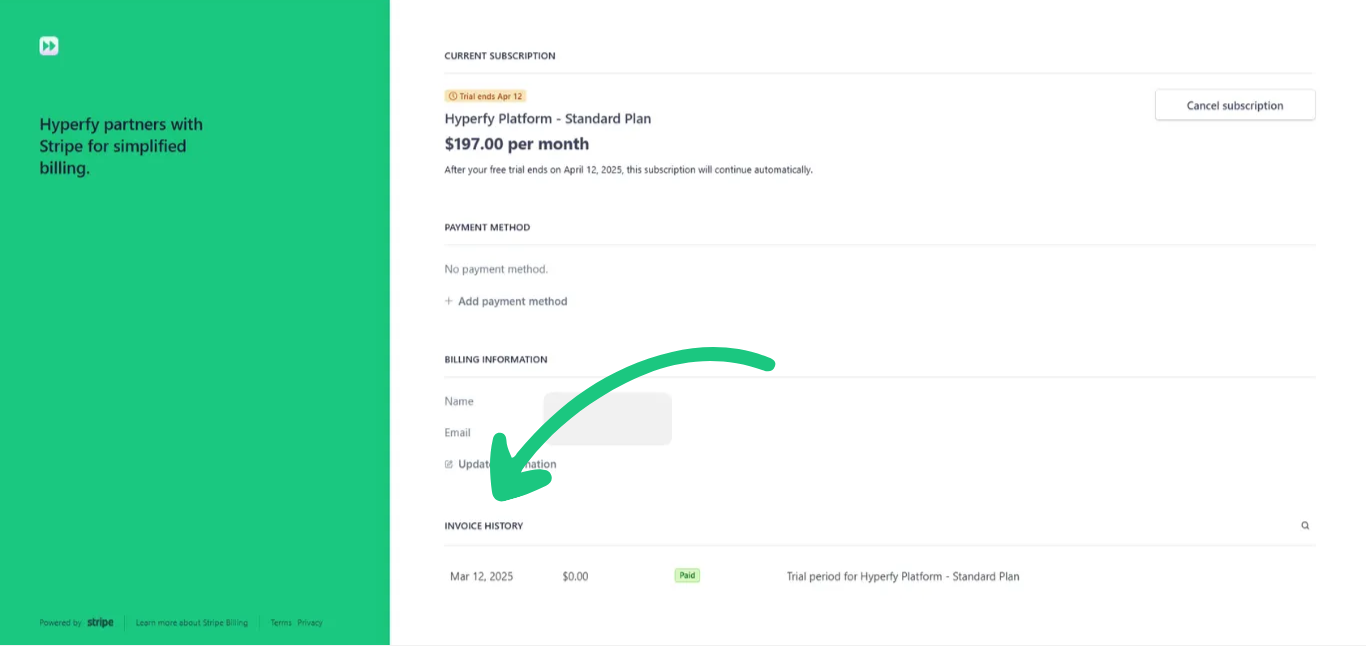
3. View Invoices:
- This section will list all your past billing transactions and invoices.
- You will see the invoice date, amount, payment status (e.g., "Paid"), and your Subscription Plan