Home - Missions and Videos
2 min read
What you’ll find here
1) Hypey (quick access)
A shortcut to chat with Hypey, your in-platform assistant. Ask how to do anything (“how do I feature an agent on my landing?”, “how do payouts work?”) and get step-by-step guidance.
2) Tutorial videos
Short videos that walk you through the essentials—from first setup to publishing and selling. Start with the overview, then watch the topics you need next.
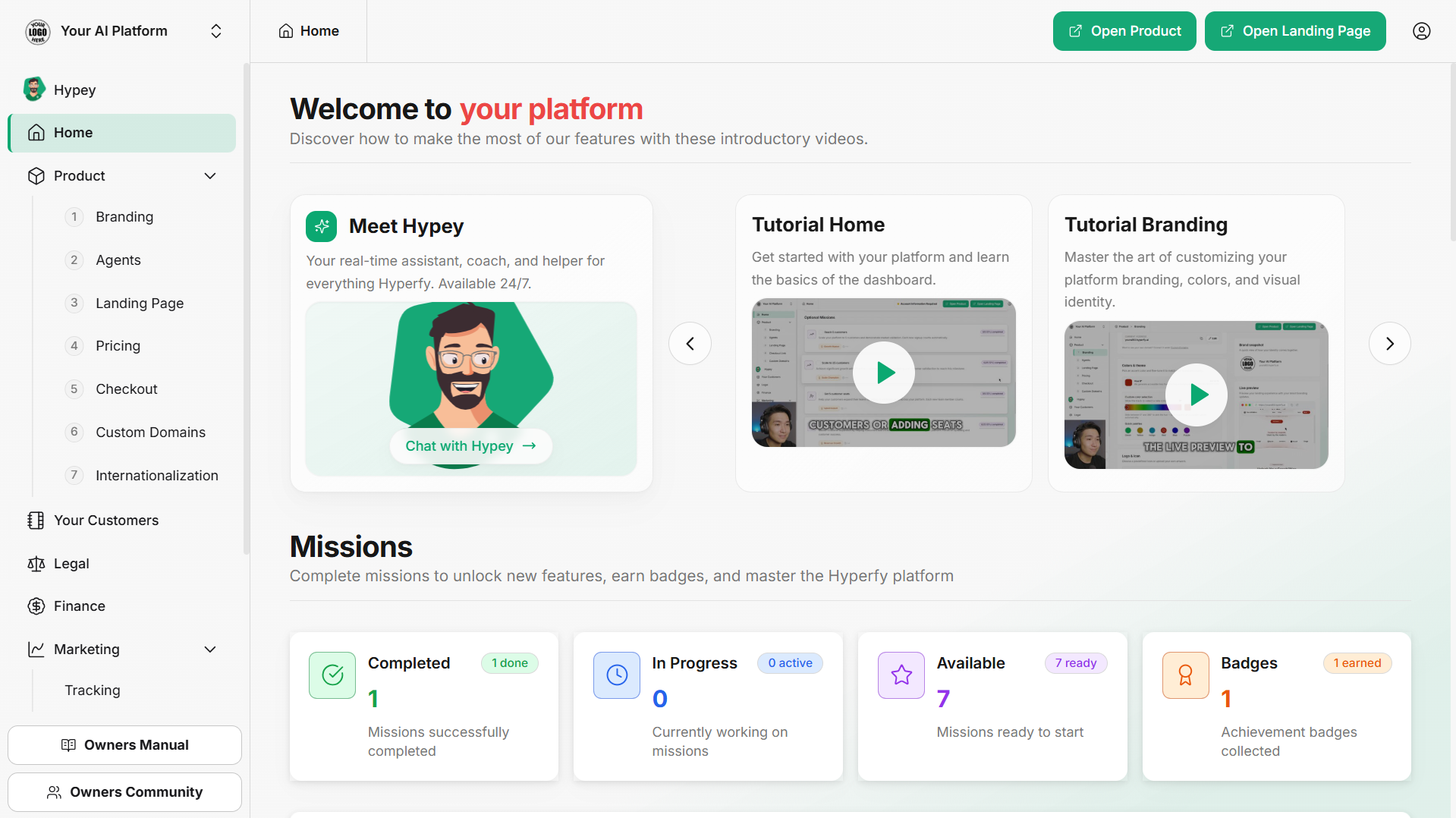
3) Missions (guided progress)
A simple, gamified path that turns setup into small wins:
- Main Missions: Core steps like creating your first agent, setting up your platform, exploring resources, and getting your first customer.
- Optional Missions: Growth goals such as reaching more customers or adding seats.
Each mission shows a description, success event, time estimate, and a Start/Open button. You’ll also see Completed, In progress, Available, your badges, and a progress bar.
4) Quick shortcuts (top-right)
- Account Information Required: Finish payout details so you can receive money.
- Open Product: Launch a live preview of your platform exactly as customers see it.
- Open Landing Page: Jump straight to editing your headline, copy, branding, and featured agents.
5) Helpful links (footer)
- Owner’s Manual: Docs and how-to videos.
- Community: Ask questions, learn from others, share progress.
- Contact Support: Reach our team if you need a hand.
Recommended rhythm
- Watch a tutorial to understand the step.
- Complete one mission to apply it.
- Use a shortcut to preview changes live.
- Ask Hypey for your next best move.
Repeat this loop—learn → do → preview → iterate—and you’ll move from setup to selling fast.